Secure Assessor Login & Data Sync
Registered mobile-number login, mandatory guidelines and Sync Data help assessors begin with the correct batch information and operating instructions.
 INNOCOXConsulting & ResearchAssessment Portal
The INNOCOX Assessment Platform helps assessors complete attendance, candidate verification, geo-tagged evidence, audits, videos, marks, synchronization and batch close-out through a structured Android workflow.
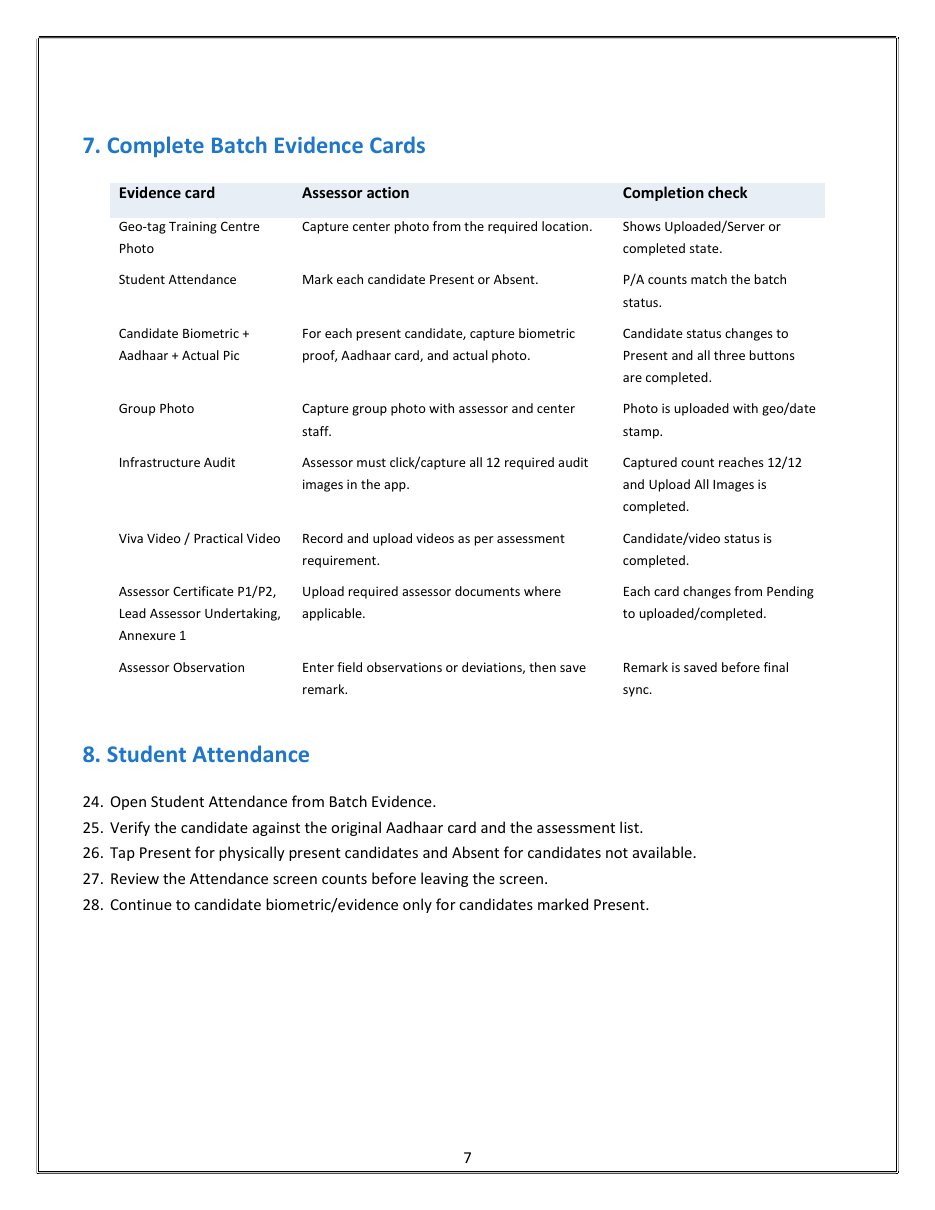
Each module supports a defined field action and completion check, helping assessment teams track required evidence before Batch Out.
Registered mobile-number login, mandatory guidelines and Sync Data help assessors begin with the correct batch information and operating instructions.
Location remains enabled during app usage so assessment start, evidence capture and final close-out can follow a geo-tagged workflow.
Opening and closing attendance records document the assessment session, with clear confirmation screenshots required for operational compliance.
Present/Absent marking connects to biometric verification, original Aadhaar evidence and a live candidate photograph for each present candidate.
Training-centre photos, group photographs and candidate evidence are captured with location and date-time context to support audit readiness.
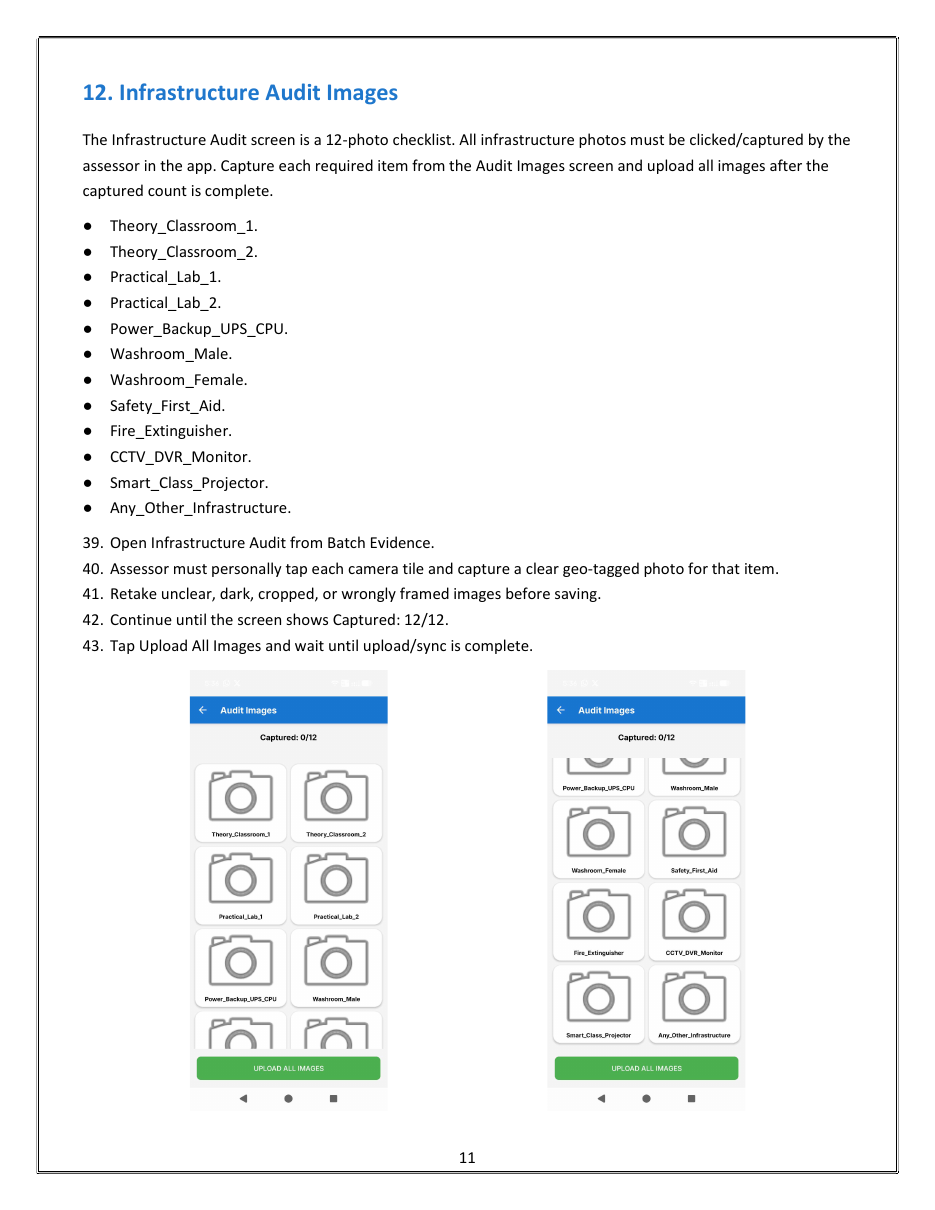
A structured 12-photo checklist covers classrooms, practical labs, power backup, washrooms, safety, fire equipment, CCTV, projector and other infrastructure.
Separate candidate-wise video workflows support clear viva and practical evidence.
Assessors enter viva and practical marks, review total, grade and status, and then save and upload the candidate result.
The workflow supports assessor certificates, lead-assessor undertakings, Annexure documents and saved observations or deviations.
Sync All uploads pending data, while report and Share Zip options support operational review before final Batch Out.
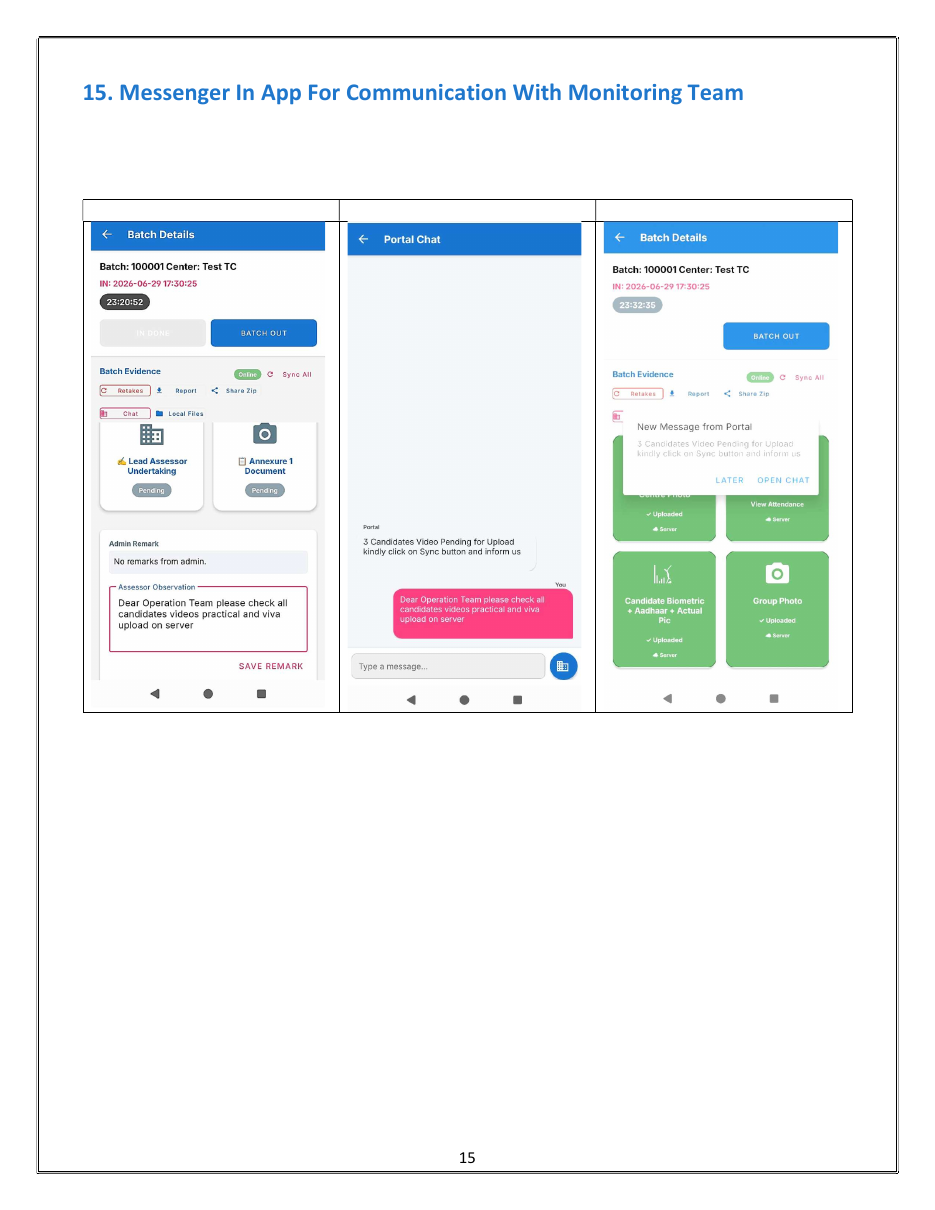
Portal Chat connects assessors with the monitoring team for pending-evidence messages, operational clarification and field follow-up.
Selected views from the supplied INNOCOX Assessment App process manual show the evidence-card structure, infrastructure checklist and monitoring communication workflow.
From physical candidate verification to final synchronization, the platform helps organise the evidence needed for accountable assessment operations.
Click one of our contacts below to chat on WhatsApp